
You hit Erase All Content and Settings. Screen goes dark, Apple logo flashes, and off the phone goes — to the trade-in kiosk, or into your nephew’s hands. Job done, right?
Not exactly.
Buy a refurbished iPhone sometime and poke around. Half the time you’ll find the last owner’s mail still synced, or their contact list sitting quietly in the address book. Flip that around and it’s your face in someone else’s photo roll. “Deleted,” turns out, is not the same thing as “gone.”
The short version: newer iPhones do destroy the encryption key during a reset, so a plain wipe is mostly fine there. Mostly. Residue lives on in app caches and hidden system storage, older and jailbroken devices hold far more than they should, and a bricked phone can’t be wiped at all until its operating system is rebuilt first. That gap is what this piece is about.
What “delete” actually does on an iPhone
When you swipe a photo away, the file doesn’t get scrubbed off the flash storage. The phone just ticks a box next to that space: free to reuse. The old data keeps sitting there, perfectly readable, until something new gets written on top of it.
Which is why pulling “deleted” files back is almost embarrasses easy. Stellar’s standard recovery software — the one that lets you scan and pull back up to 10 photos or videos at no cost, as long as each file stays under 10 MB — reads straight past the delete flag. Plug the phone in, run a scan, and there’s your “gone” birthday video, waiting in the preview pane.
Handy, when it’s your own mistake. Terrifying, when the phone you casually cleared is the one you’re about to hand a stranger.
When the phone won’t even switch on
Then there’s the other nightmare. The endless Apple logo. The black screen that never wakes. A half-finished iOS update can brick a phone so hard you can’t reach Settings to wipe it, can’t reach your photos to save them.
Apple’s official playbook says plug into a computer and run a restore. That works. It also flattens everything — every photo, every chat, gone, unless a backup already exists.
This is the moment a single-purpose recovery app stops being enough. The Stellar Toolkit for iPhone packs three separate utilities under one roof, and the one that matters here is iOS System Repair.
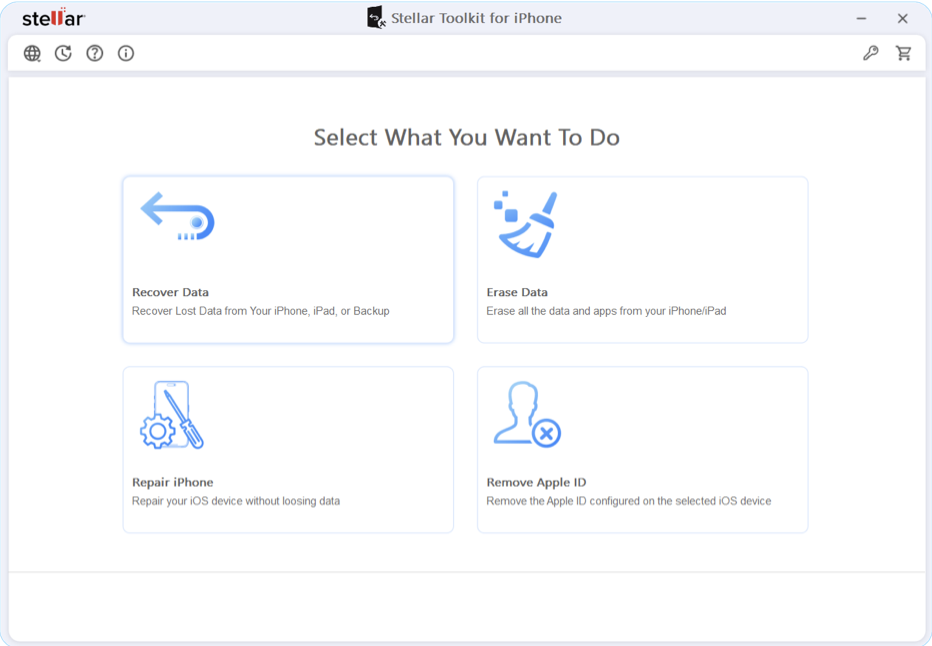
Rather than nuking the device, it goes after the broken system files behind the boot loop. The operating system gets rebuilt around your data instead of on top of it. Photos stay. Messages stay. The phone just… starts working again. Fix first, wipe later, in that order.
Selling it? Wipe it like you mean it
Say the phone’s fine. Backups done, you’re ready to sell. A factory reset on a modern encrypted iPhone is honestly decent. But “decent” isn’t the word you want when your banking app history and old WhatsApp chats are what’s at stake.
Older devices, jailbroken ones, anything with weird leftovers in system storage — those deserve better. The eraser module inside the Toolkit doesn’t just deletes the index. It floods every sector of the flash storage with junk data, including the “Other” storage bucket iOS normally hides from you. App caches, voice memos, login crumbs, all of it buried under noise.
Run that, and the fanciest forensic kit in the world pulls back static. That’s the standard you actually want before a device leaves your life.
One toolbox beats five sketchy apps
Here’s the habit worth breaking: downloading a different free app for every iPhone problem. One to undelete photos. One to fix boot loops. One to clear cache. Most of them are ad farms that choke on the current iOS anyway.
A single desktop suite sidesteps all of it. Phone goes in over USB, and from one window you can dig through its storage, rebuild a crashed OS, or scrub it clean. The heavy lifting happens on your computer, not on the phone — which also means nothing sketchy ever gets installed onto the device itself.
Questions people actually ask (FAQs)
Wiping my iPhone before I sell it — what’s the real way to do it?
Settings > Erase All Content covers the basics on newer phones, since the reset destroys the encryption key. Where it falls short is the residue: app caches, system “Other” storage, leftovers on older or jailbroken devices. For those, run an overwriting eraser. The Toolkit’s module writes junk across every free sector, so there’s nothing left to dig up. Five minutes, and the phone is genuinely blank.
Phone’s frozen on the Apple logo. Can I fix it and keep my stuff?
Usually yes, as long as you avoid the DFU restore. Apple’s restore route works but wipes the device flat. An iOS system-repair module replaces only the corrupted iOS files and leaves user data alone. I’ve seen boot loops from failed updates cleared in one pass this way, photos and chats untouched.
How many files do I get back free with Stellar?
Ten, on the standard recovery software — photos or videos, each capped at 10 MB. Enough to confirm your missing files are actually still on the device before you pay for anything. Past that limit, the scan and preview keep working; saving more needs a license.
Will third-party repair or erase software void my Apple warranty?
No. These tools talk to the iPhone over the same standard USB connection iTunes uses. No jailbreak, no hardware tampering, nothing Apple considers a modification. Your warranty stays intact.
The finish line
Your phone holds your whole life, and the settings menu treats it like an afterthought. Native buttons will get you most of the way — just not all of it. Whether you’re un-bricking a logo-stuck iPhone, fishing a voice memo out of unallocated space, or scrubbing a device before it changes hands, bring the right tool to the job. The erase button is a start. It was never the finish line.